
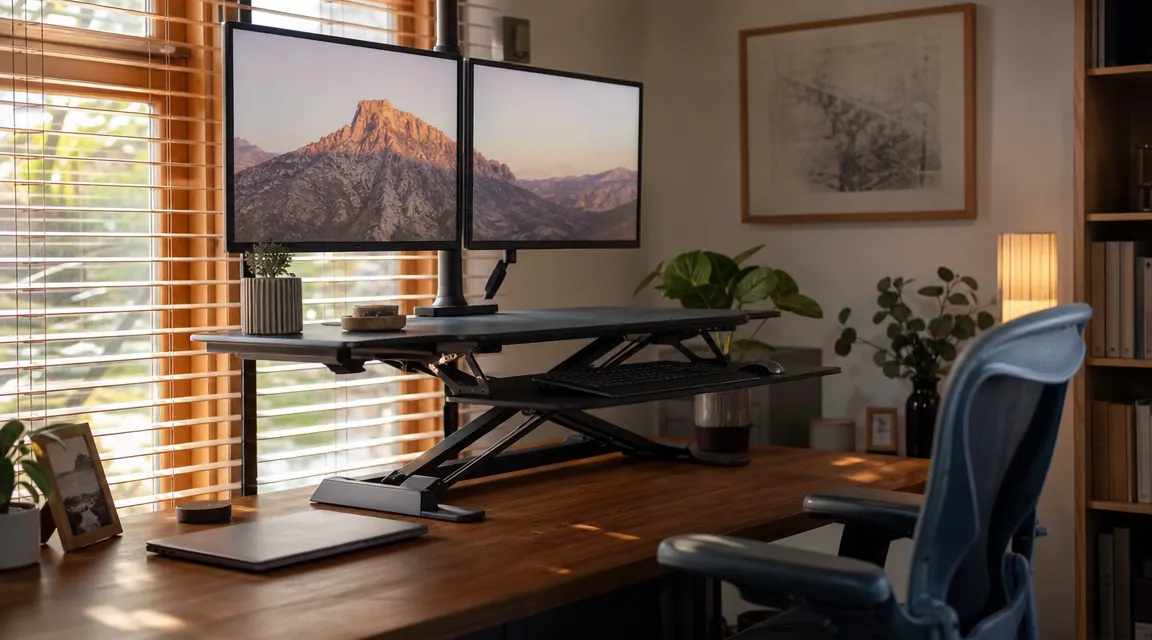
Six months ago my lower back was telling me something I did not want to hear. I had spent 35 years as a carpenter, on my feet most of the day, and retirement was supposed to be easier on the body. Instead I set up a home office in my spare room, sat down at a fixed desk eight hours a day, and inside six weeks I could barely get out of the chair by four in the afternoon. The VIVO 42-inch V Series desk converter -- ASIN B07H9DM38X, currently right around $240 -- was my attempt to fix that without tearing out the whole desk and starting over. I have been on it every morning since. Here is an honest account of what I found.
I should be upfront: I am a retired carpenter, not a tech reviewer. I know what good construction feels like and I know when something is built to wobble in six months. I was skeptical going in. A spring-lift converter sitting on top of an existing desk is, by definition, adding height and leverage to a platform that was not designed for it. Whether VIVO solved that problem well enough for daily use is the main thing this review covers.
The Quick Verdict
A well-built, practical converter that genuinely reduces back and neck strain for most home-office workers. Not wobble-free at full height, but solid enough for all-day use at a reasonable raise. Good value for the price.
Amazon Check Today's Price →Back pain starting before lunch? This is the fix I wish I had found on day one.
The VIVO 42-inch V Series converter goes from sitting to standing in about three seconds, fits on any desk with a flat surface, and takes no tools to install. Over 10,000 reviews on Amazon back that up.
Amazon Check Today's Price on Amazon →How I Have Been Using It
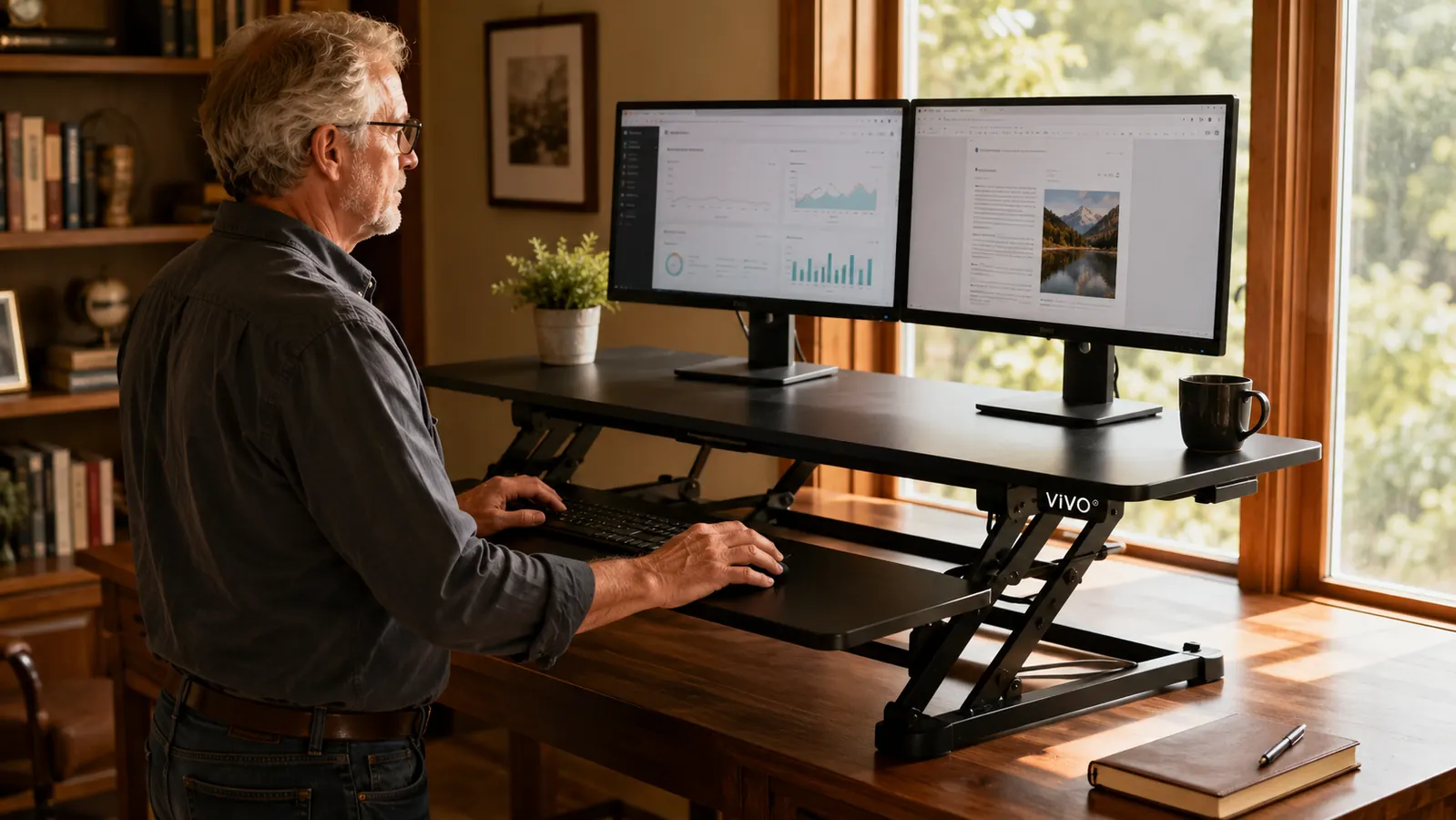
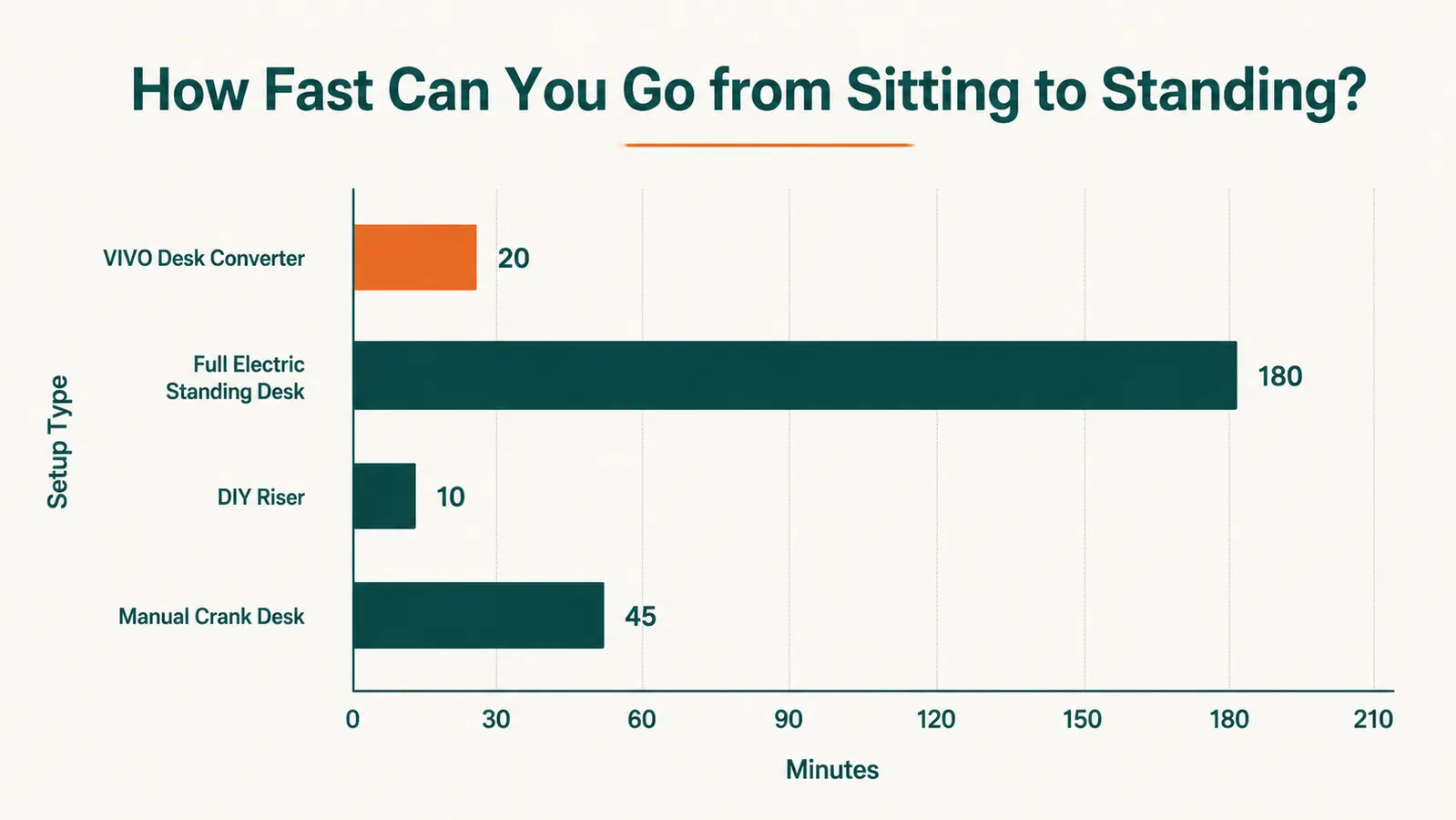
My setup is a 60-inch butcher-block desk in the corner of a spare bedroom. I run two 24-inch monitors and a separate keyboard tray. When the converter arrived it took me about fifteen minutes to unbox and set it on the desk. No hardware involved -- you just place it, adjust the spring tension knob on the side to match your monitor weight, and lift. The 42-inch platform is wide enough to hold both monitors side by side with the converter's built-in dual-monitor riser shelf on top and my keyboard on the lower surface. That tiered design is the main reason I picked this one over cheaper flat-top models.
My routine for six months: sit for the first 45 minutes of the morning handling email, stand for 30-40 minutes while I am reading or working through a project, sit again for focused writing, stand again in the early afternoon. I would say I stand somewhere between 90 minutes and two hours out of an eight-hour workday. That is not heroic, but it is enough to notice a real difference.
The converter handles that cycle without any ceremony. Three seconds to raise, three seconds to lower. The spring action is smooth -- I compared it to a cheaper model a neighbor owns, which takes two hands and real effort to push down. The VIVO V Series raises and lowers with one hand even when both monitors are mounted. That matters when you are doing it a dozen times a day.
Build Quality: What a Carpenter Notices
The frame is steel with a black powder-coat finish. After six months of daily use I see no chipping, no rust spots, and no warping on the surface. The keyboard tray attaches to the main platform via a sliding rail -- that rail is tight with no lateral play, which matters because a wobbly keyboard surface is annoying to type on and puts stress on the wrist. Good detail.
The scissor-lift mechanism underneath is the heart of the design. It uses a pair of crossed steel arms connected by a spring cylinder. I pulled the cover off at about the three-month mark just to look at the welds. Clean, consistent welds with no flash or undercutting. The pivot pins are seated properly. This is not furniture-grade cabinetry, but it is solid production hardware built to spec, not the lowest-bidder junk you sometimes get in this price range.
One honest note: the surface coating on the top monitor shelf has a matte texture that picks up dust easily and shows fingerprints. Not a functional issue, but worth knowing if you care about a tidy desk. A quick wipe with a dry cloth handles it.
The Wobble Question
Anyone who has read other reviews of standing desk converters has seen the wobble complaints. I want to be precise about this rather than hand-wave it. The VIVO V Series does wobble at full height -- specifically, at anything above about 13 inches of rise, if you type firmly or brush the side of the monitors, you will see a small front-to-back oscillation. It damps out in two or three seconds.
In practical terms this has never affected my work. Typing at standing height creates no perceptible motion at the keyboard. The wobble only shows up when I deliberately press on the edge of the monitor platform to test it, or when I bump the desk itself. If you are a heavy typist who hammers the keys, or if your existing desk surface has any flex, the wobble will be more noticeable than it is on my butcher-block top.
At sitting height or the first third of its rise, this thing does not move. It feels like a piece of furniture, not an add-on. The wobble only appears near the top of its range, where most people do not spend the majority of their standing time anyway.
If absolute rigidity is your requirement -- say, you are doing fine detail work or video calls where frame shake is visible -- a full sit-stand desk frame bolted to the legs will be more stable. I cover that tradeoff in detail over at the desk converter vs. full standing desk comparison. But for the vast majority of office work, the VIVO's wobble is a footnote, not a deal-breaker.
Performance Over Six Months: The Back Pain Test
This is the number that actually matters. When I started using the converter, my end-of-day lower back discomfort was an eight on a ten-point scale on most days -- tight across the lumbar, radiating into the left hip if I had been sitting for a long stretch. After about three weeks of the sit-stand routine, that dropped to a five or six. By month three I was consistently at a four. Six months in, most days end at a three, and the hip radiation is gone.
I am not a doctor and I am not claiming the converter fixed a medical condition. What I will say is that the pattern is clear enough to be meaningful, and it lines up with what the 10,000-plus reviewers on Amazon describe. The simple act of breaking up the sitting posture -- even for thirty minutes at a stretch -- changes how the afternoon feels.
Neck and shoulder tension also improved, but more because getting the monitor height right was part of the deal. The converter's raised monitor shelf brought my eye level up about five inches compared to where my monitors sat before, which put the top third of the screen at eye level when standing. I did some adjustment work to dial in the right standing height for my 5'11" frame -- if you want a guide to that process, I wrote a step-by-step over at how to set up a standing desk converter for proper monitor height.
What Works and What Could Be Better
The dual-tier design -- monitors up, keyboard down -- is genuinely the right call for ergonomics. Having the keyboard on a lower surface than the monitor shelf means your elbows stay at a natural 90-degree angle when typing while standing, rather than reaching up to a flat platform. VIVO got that right where some cheaper converters put everything at one level.
Cable management is minimal. There are two small wire clips on the side of the frame, but they hold maybe two cables each and the converter moves up and down every time you use it, so cables need enough slack to travel with it. I ran my monitor cables down the back of the desk and gave them a generous loop -- works fine, but you will need to think about this if you have a cable-heavy setup.
The spring tension adjustment is a dial on the left side. You set it once to match your monitor weight and then leave it. Out of the box the tension was set for a lighter load than my two 24-inch monitors, so I spent about two minutes adjusting it. Easy, but the dial has no indexing marks or numbered positions -- you are just turning it until the lift effort feels right. A few calibration marks would have been a nice detail.
What I Liked
- Smooth one-hand lift even with two monitors loaded
- Steel construction with good welds -- feels solid after six months of daily use
- Dual-tier design keeps keyboard lower than monitors, which is correct ergonomics
- 42-inch width handles dual monitors with room to spare
- No tools required to install or move
- Over 10,000 Amazon reviews -- parts and support are not going anywhere
Where It Falls Short
- Wobble at full height is real, though manageable for most typing work
- Spring tension dial has no calibration marks
- Cable management clips are minimal for a multi-monitor setup
- Surface coating shows dust and fingerprints more than I would like

Alternatives I Considered
Before buying the VIVO, I looked at three other options. The FlexiSpot M2B converter is a similar Z-frame design and costs about the same -- the main difference is that the FlexiSpot uses a single flat surface rather than a tiered design, which I considered a real drawback for dual-monitor ergonomics. The Varidesk Pro Plus 36 is a more polished product at roughly double the price, and if you need absolute stability and a wider top surface it might be worth it. The third option I considered was just replacing the desk entirely with a full sit-stand frame -- I have a full writeup of that comparison at the converter vs. full standing desk article if you are weighing both paths.
For my situation -- an existing desk I built myself and did not want to replace, a budget under $250, and a primary goal of reducing lower back strain -- the VIVO was the right call. If your situation is different, read that comparison before you buy.
Who This Is For
The VIVO 42-inch V Series converter is the right product if you already own a flat-surface desk you want to keep, you run one or two standard monitors (up to 27 inches works fine, though the manufacturer rates it to 30 inches), you want a sit-stand option without spending $500 or more on a full motorized frame, and your main goal is reducing afternoon back and neck strain from long sitting sessions. Remote workers, hybrid professionals working from a spare room, retirees with a side business, freelancers -- this is built for that use case. If you are on it four to six hours a day doing standard computer work, it will hold up and it will help.
Who Should Skip It
If you do fine-detail drafting or illustration work where any platform movement at all is a problem, this is not the right tool -- the wobble at full height will bother you. If you run three monitors, the 42-inch width will be tight and the weight may exceed what the spring can lift smoothly. If you are already planning a desk replacement, skip the converter and put the $240 toward a better sit-stand base -- a quality motorized frame will be more stable and give you a bigger work surface. And if back pain is severe enough that it is affecting your ability to work at all, please talk to a doctor before buying gear -- a converter changes posture but it is not medical treatment.
Six months in, I would buy it again. If your back is complaining by lunch, this is the place to start.
The VIVO V Series is currently one of the best-reviewed sit-stand converters at this price point, with more than 10,000 ratings on Amazon and a track record of holding up past the warranty window.
Amazon Check Today's Price on Amazon →