

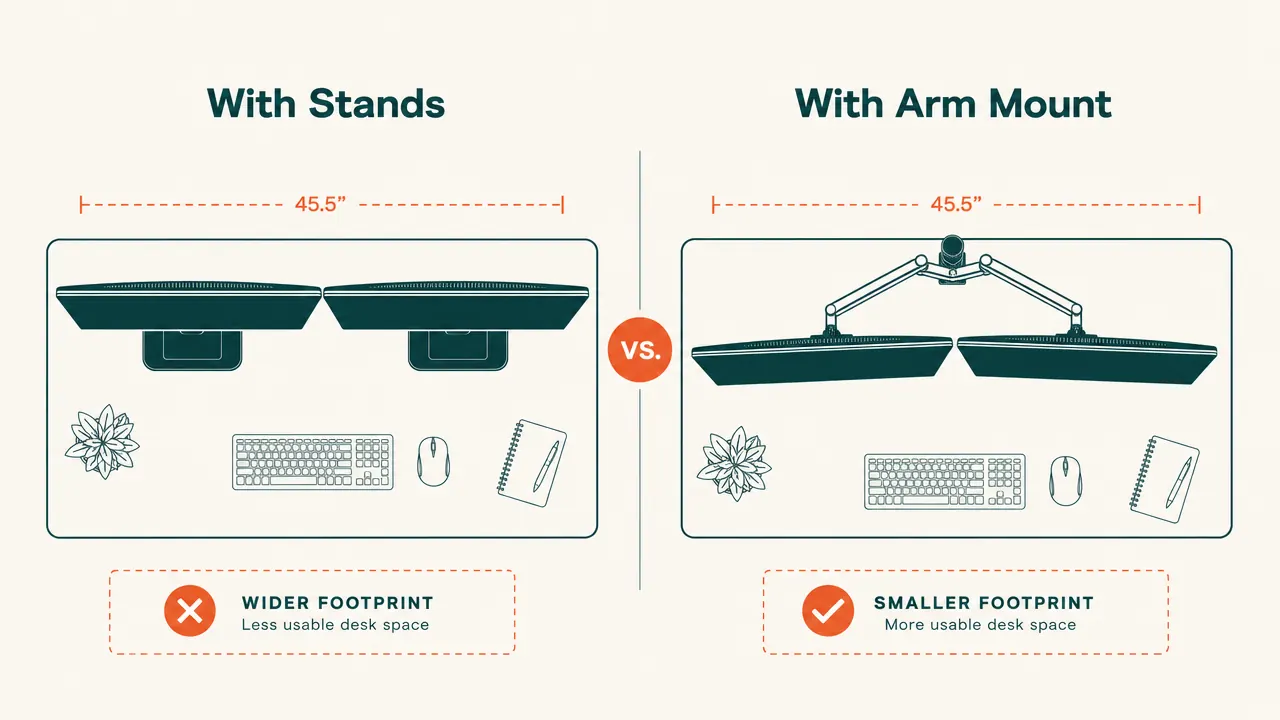
Before I retired, I spent forty years as a carpenter. I've held enough cheap hardware to know the difference between steel that'll hold and steel that's pretending. When I set up my home office two years ago, I had two 24-inch monitors on the factory plastic stands they shipped with, and my desk looked like a hardware store shelf. The stands ate up the front third of my workspace, the monitors sat at the wrong height for my neck, and every time I wanted to angle one toward me for a video call, I was picking up a 12-pound monitor and sliding it around. That's no way to work. A friend of mine who does remote accounting told me about the VIVO STAND-V002 dual monitor arm. I ordered one. That was fourteen months ago, and it has not moved, loosened, or given me a single problem since.
The VIVO STAND-V002 holds two screens up to 30 inches wide and 22 pounds each on a fully articulating dual arm mounted to your desk with a C-clamp or grommet bolt. It is made of heavy-gauge steel, not the hollow aluminum-looking plastic that a lot of competitors ship. At the current price, it is not expensive, which is the part that still surprises me. I want to be clear about what this review covers: fourteen months of six-to-eight hour daily use, on a solid maple desk I built myself, with two Acer 24-inch monitors running about 11 pounds apiece. That is what I am drawing from.
The Quick Verdict
A genuinely well-built dual monitor arm at a price that makes the competition look embarrassed. A few cable management details could be cleaner, but the steel frame and arm tension are the real thing.
Amazon Check Today's Price →Your neck knows you've been sitting wrong for years. This is the fix.
The VIVO STAND-V002 mounts two monitors at any height and angle you need, frees up the desk space underneath, and it's built from real steel. Over 60,000 Amazon reviews at a price most people can afford to try.
Amazon Check Today's Price on Amazon →How I've Used It: Fourteen Months of Real Work Hours
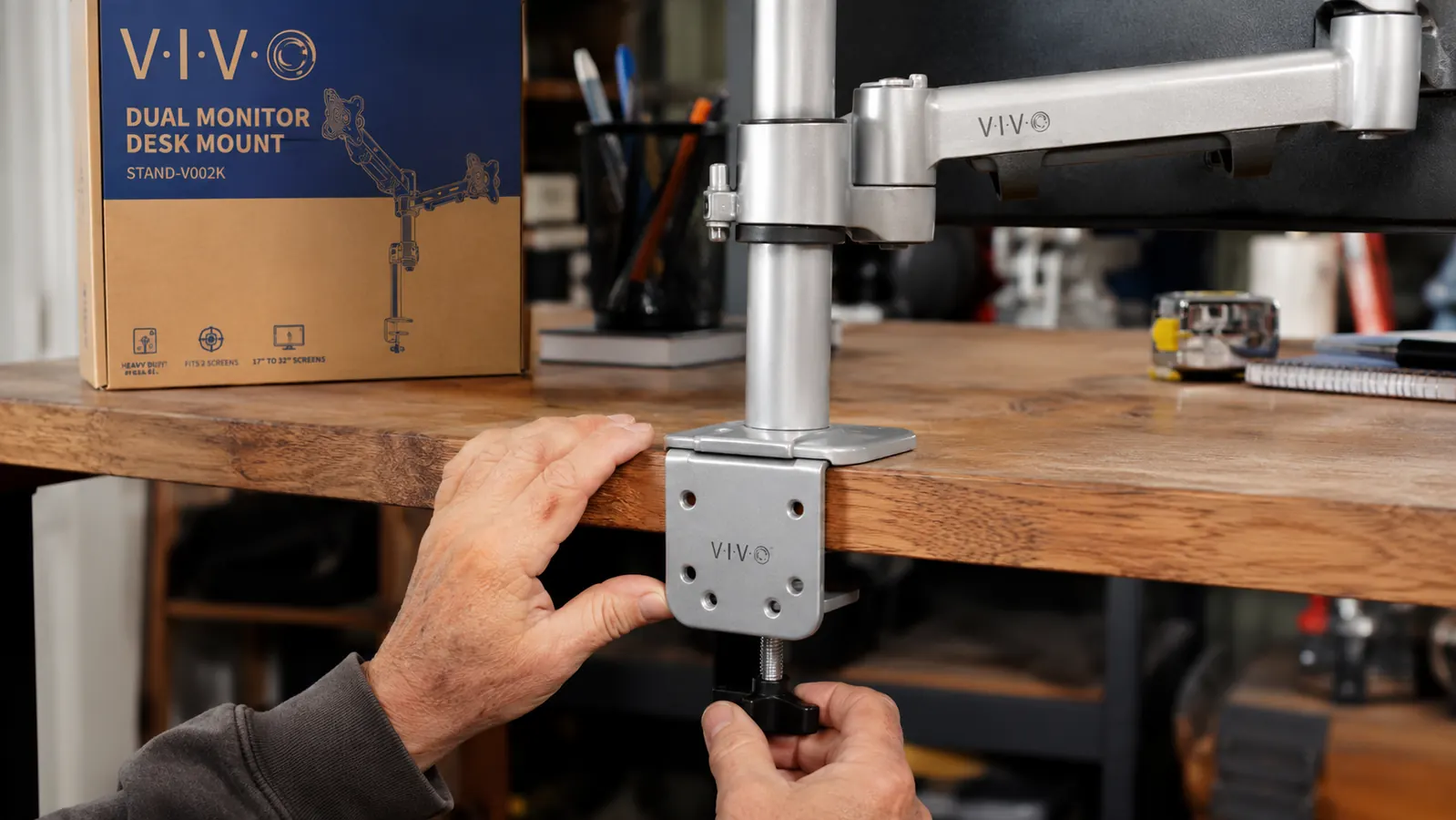
My setup is not complicated. I run one monitor as my primary work screen and one to the left as a reference display for documents and spreadsheets. The desk is a solid maple surface I built myself, about two inches thick at the edge. The VIVO C-clamp handles that without complaint. I tightened the clamp to where it felt right and ran a friction test by leaning my full weight on the arm. It did not budge. That was day one. It still has not budged.
The thing I did not expect was how much the cable routing matters. The VIVO arm has channels along the underside of each arm for running monitor cables out of sight. I threaded both DisplayPort cables through on the first day. They are still in there, clean and out of the way. My desk looks like a place where actual work gets done instead of a knot of cords going nowhere. That alone is worth the price of admission for anyone who has stared at a messy desk and felt their focus drain away.
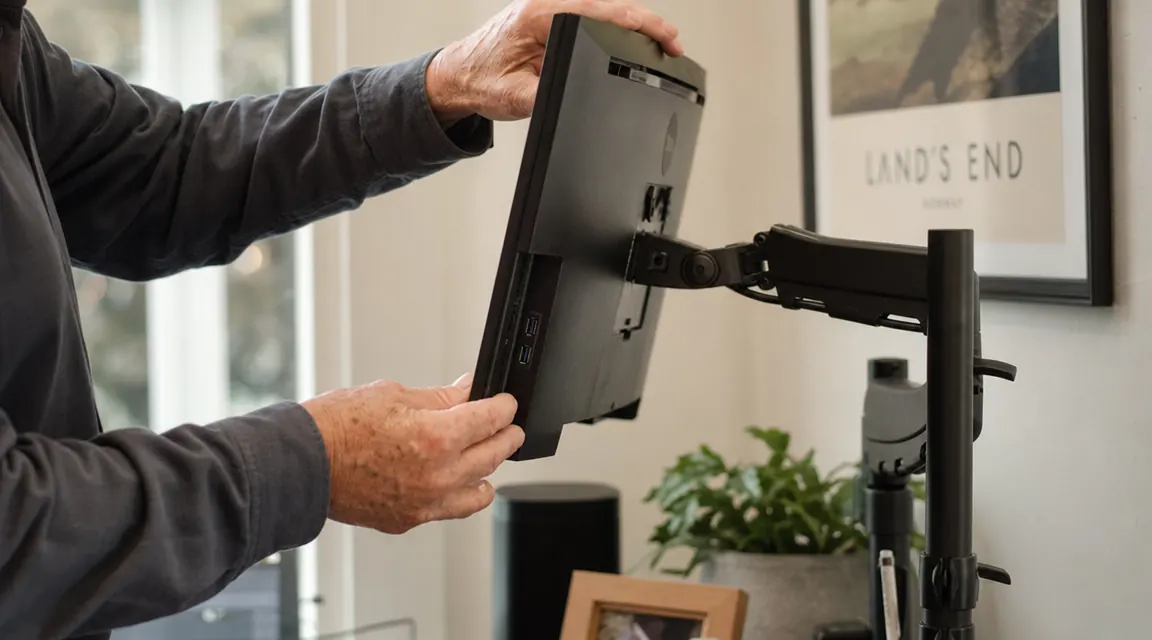
I adjusted the tilt on both monitors once in the first week and have not touched them since. That tells you something important about the arm tension. It holds where you put it. The pivot joints have a friction adjustment with a small hex key included in the box, which I used to firm up the left arm slightly after initial setup. After that, both monitors have stayed exactly where I set them through fourteen months of seasonal temperature changes, which in a wood-framed house means the desk expands and contracts a bit. No drift, no creep, no morning surprise where your monitor has tilted two degrees overnight.
Build Quality: What the Steel Actually Tells You
I want to spend time on this because it is the thing that separates the VIVO from half the monitor arms on Amazon. Most of the cheaper competition is thin-walled aluminum or aluminum-coated plastic. You can tell because it flexes when you apply side pressure. The VIVO STAND-V002 is steel throughout the main post and arm segments. The weight of the assembly in the box told me that before I even looked at the specs. It came in at about nine pounds assembled, which is heavy for a monitor arm. That weight is doing something useful.
The C-clamp is beefy. The clamping plate and the main bolt are both clearly steel, not pot metal. I have seen cheap clamps crack when overtightened because the threads are soft. The VIVO threads are clean and the clamp has a rubber pad on both contact surfaces so it grips without digging into a finished desk surface. I checked my maple edge after three months, six months, and twelve months. No marks. The rubber does its job.
The VESA mounting plates are standard 75x75 and 100x100. They are attached with four bolts and feel solid once tightened. The plates themselves have a little more surface area than some competitors, which distributes the load across more of the monitor's back panel. For anyone running older monitors with thinner plastic backs, that matters. I have seen cheap VESA plates crack the plastic around a monitor's mounting holes by putting all the stress in a small circle. VIVO's design spreads it.
The weight of the assembly in the box told me what I needed to know before I even read the specs. Real steel has a feel to it. This one has it.
Performance Over Time: Fourteen Months of Notes
The first thing I noticed at about three months was a very slight loosening in the horizontal swivel on my left arm. Not enough to affect daily use, but enough that I could push the monitor a few degrees off center without much resistance. I took out the included hex key, tightened the friction collar on the swivel joint by about a quarter turn, and that was the end of it. The joint has been firm since. This is not a flaw so much as a normal property of friction joints under load: they settle over the first few months. The fact that VIVO includes the hex key and makes the adjustment accessible is the right call.
The cable routing channels are functional but not pretty. The clips that hold cables inside the channels are plastic and two of mine developed small cracks at around the eight-month mark. The cables stay routed because they are snug in the channel anyway, but the clips are cosmetic as much as functional, and the plastic ones are not built for the long haul. A minor complaint on a steel product that costs what this one costs. I used some small zip ties at the channel exits and the problem went away.
The main vertical post is still as solid as day one. No wobble, no play at the base collar. The desk clamp has not shifted position. I have moved my desk twice since installing the arm, each time by picking up the entire desk with the arm still clamped on, and nothing came loose. I would not normally recommend that approach, but it tells you the clamp grip is not going to loosen in normal use.
Neck, Eye Strain, and the Setup Details That Actually Matter
Before I had the arm, both monitors sat on their plastic stands at whatever fixed height the manufacturer decided was right. That meant my secondary monitor, which was on a lower stand, had me looking down at about a 15-degree angle all day. By four in the afternoon my upper back felt like someone had clamped it in a vise. I am not young and I have a history of upper-back tension from years of overhead carpentry work. Adding a downward neck angle all afternoon was not helping.
With the VIVO arm, I set both monitors so the top edge is at eye level when I am seated normally. This is the ergonomic recommendation for reducing neck strain, and it actually works. The first week felt slightly different, like I was sitting up straighter than I was used to, and then my body adjusted and the afternoon tension mostly went away. I also moved both monitors closer to my face than the stands allowed, because the arm can position them farther over the desk surface. The result is less squinting and less leaning forward, which was making my lower back work harder than it needed to.
What I Liked
- Heavy-gauge steel construction that feels like it will outlast the monitors it holds
- C-clamp grip is solid on thick desktop edges up to about 3.5 inches, with rubber pads that protect finished surfaces
- Arms hold position reliably after initial friction adjustment, no daily drift
- Cable routing channels along both arms keep cables off the desk and out of sight
- Grommet mount option included for desks with a grommet hole, no extra purchase required
- Over 60,000 Amazon reviews with a 4.6 average, which for a monitor arm is a meaningful track record
- Hex key included and friction adjustment is actually accessible when you need it
Where It Falls Short
- Cable retention clips are plastic and prone to cracking after extended use; zip ties are a better long-term solution
- Initial setup takes patience, particularly threading cables through the arm channels before mounting the monitors
- The arm does not reach as far from the post as some higher-priced models, so a very wide desk may leave the monitors farther from your face than ideal
- The black powder coat finish shows fingerprints and minor scratches over time, though this is purely cosmetic
Who This Is For
The VIVO STAND-V002 is the right choice if you run two monitors at a home office desk and you want a mount that will hold its position and not require your attention again. It is particularly well-suited for people who have been dealing with monitors at the wrong height and feeling it in their neck and upper back by late afternoon. If you are on a solid wood or thick laminate desk, the C-clamp is a clean and secure solution. If your desk has a standard grommet hole, the grommet bolt option is even more stable. This arm earns its place in any setup where the priority is something well-made and built to last, not something that looks impressive in an unboxing video.
Who Should Skip It
If you are running monitors larger than 27 inches or heavier than 20 pounds each, I would look at VIVO's heavier-duty models or a monitor arm rated for larger screens. The STAND-V002 is rated to 22 pounds per arm and 30 inches, and I would treat those as firm limits, not suggestions. If your desk is glass or has a very thin edge under 0.5 inches, neither the clamp nor the grommet option will work safely. And if you need monitors that pivot between landscape and portrait orientation throughout the day, the VIVO's pivot joint works but it is not as smooth as single-arm mounts designed specifically for portrait rotation. For the vast majority of home office desks with standard 24-to-27-inch monitors, none of those exceptions apply.
Fourteen months in and I would order it again without hesitating.
The VIVO STAND-V002 is one of the better-value buys in a home office setup. Steel frame, solid clamp, arms that hold position, and a price that reflects what it actually is rather than what the packaging says. If your monitors are still on factory stands, this is the most practical upgrade you can make.
Amazon Check Today's Price on Amazon →