
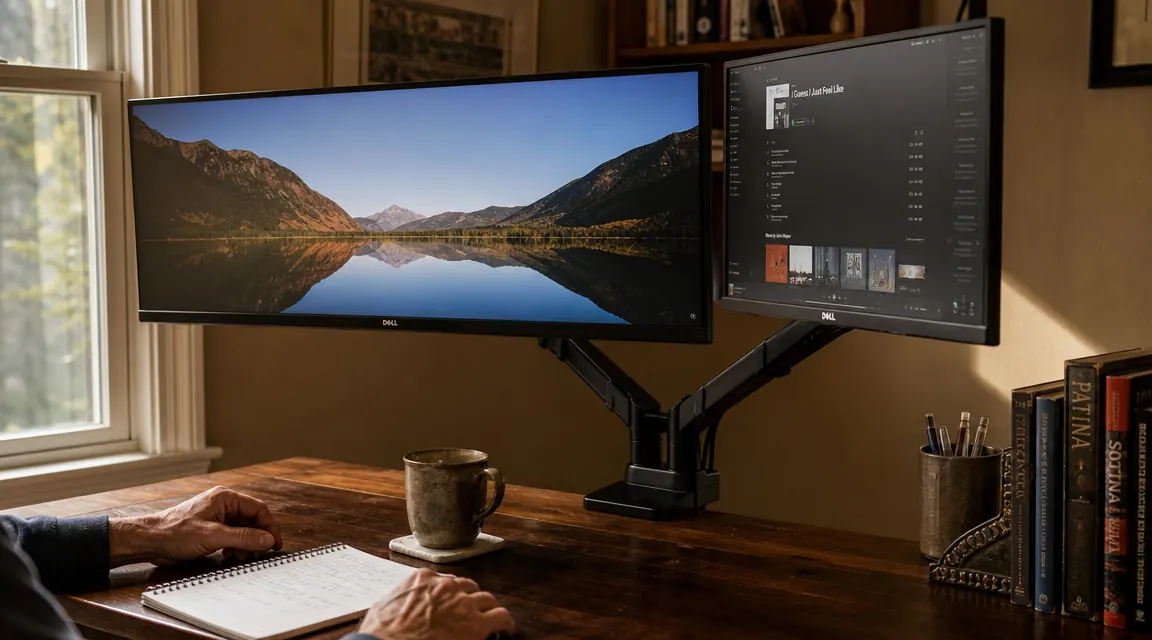
Let me tell you the thing nobody bothers to write about monitor arms: the first hour of installation is going to test your patience, and the product page is not going to warn you. I bought the VIVO STAND-V002 about two years ago to hold a 27-inch ultrawide monitor and a 24-inch secondary on a desk I set up in my spare bedroom after retiring. I own a grommet desk, the kind with a pre-drilled hole in the back third of the surface for routing cables, so I used the grommet base instead of the C-clamp. That choice matters, and I will explain why later. The arm has worked without any complaint through two Pacific Northwest winters in a home office that gets cold at night and warm in the afternoon. The monitors are still exactly where I set them. No drift, no sag, no morning surprise. But there are things I wish somebody had told me before I bought it.
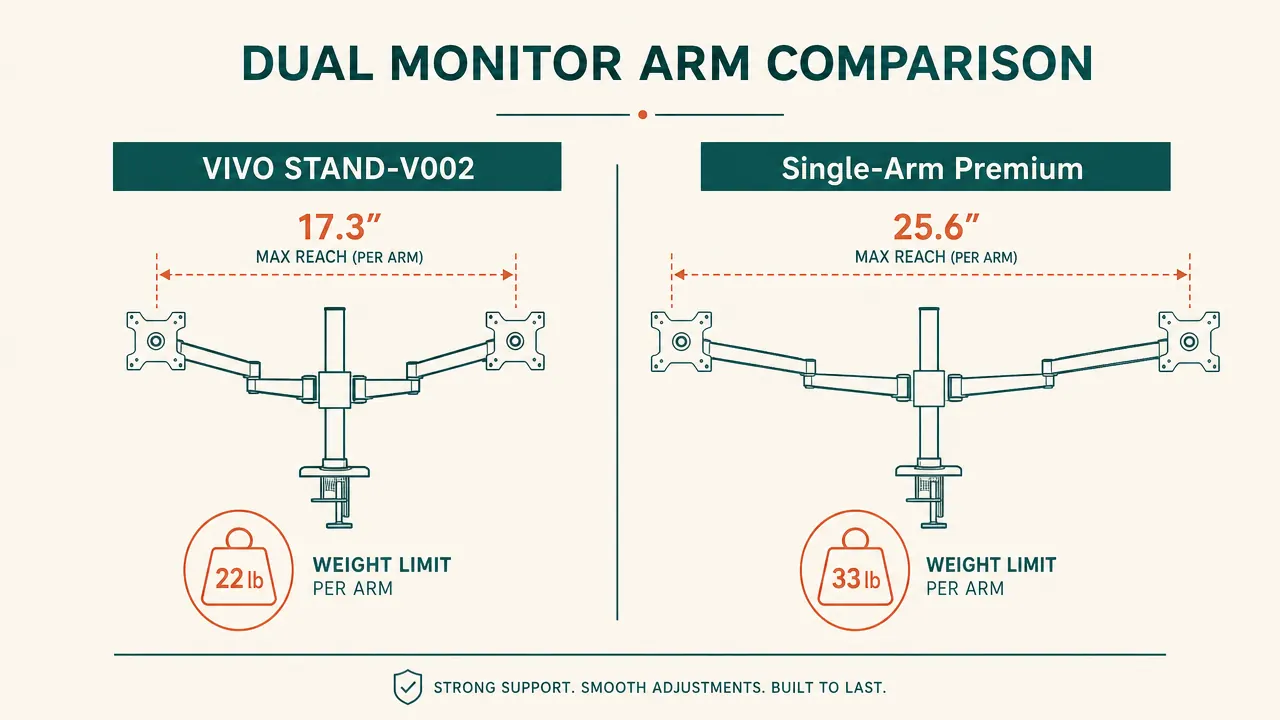
The VIVO STAND-V002 is a dual monitor desk mount that holds two screens up to 30 inches wide and 22 pounds each. It arrives with both a C-clamp and a grommet bolt base so you can choose the mounting method that fits your desk. The arm is steel, the price is modest for what you get, and it has collected north of 60,000 Amazon reviews at a 4.6 average, which for a piece of mounting hardware is a meaningful track record. This is not a roundup. I am telling you what two years of daily use looks like from someone who has been putting up with back pain, neck strain, and eye fatigue long enough to have opinions about what actually fixes them and what just costs money without solving the problem.
The Quick Verdict
Genuinely durable steel construction that earns its price, but the install process is underdocumented and the finish is not as tough as the frame underneath it. Know what you are buying.
Amazon Check Today's Price →Two monitors on factory stands is a problem you have been living with too long.
The VIVO STAND-V002 frees up desk space, lets you set screen height at eye level, and it is built from steel that holds its position. Over 60,000 Amazon reviews. The price is low enough that the only real question is why you waited.
Amazon Check Today's Price on Amazon →What Nobody Tells You About Installing This Thing
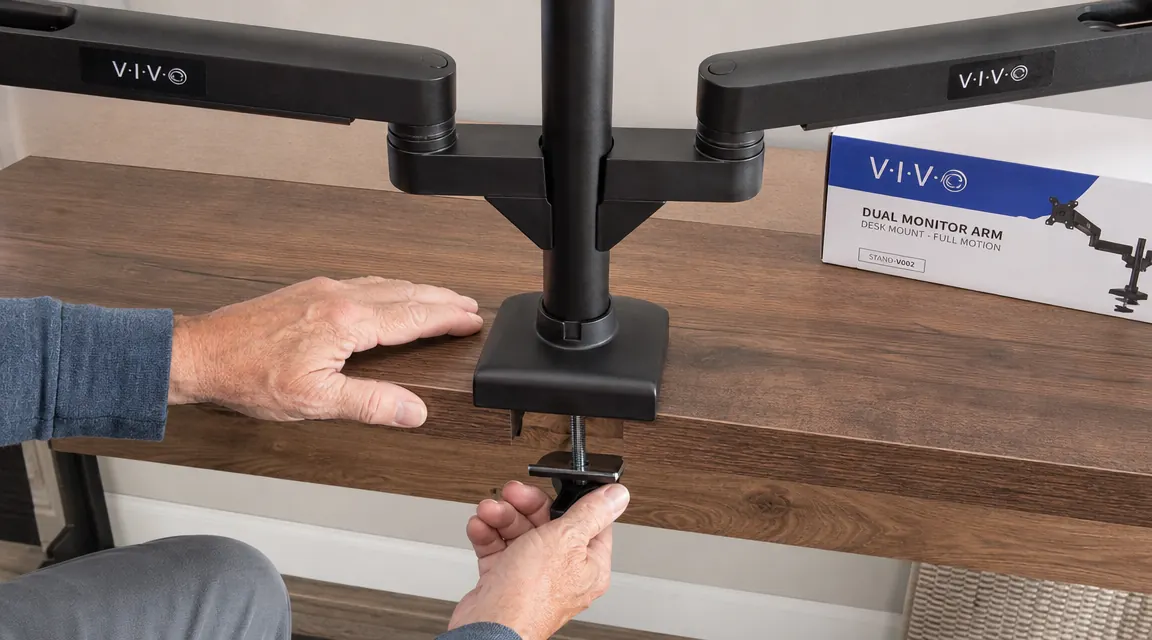
The instructions that ship with the VIVO STAND-V002 are a single folded sheet with diagrams and almost no text. For most of the assembly that is fine. The main post, the arm joints, the VESA plates: all of it goes together with the included hardware and a reasonably logical sequence. But there are two moments that will slow you down and frustrate you if you are not ready for them, and neither one is mentioned anywhere in the box.
First, threading the monitor cables through the arm channels before you mount the monitors. The channels run along the underside of the arms and the clips that hold the cables in place are narrow. If you try to run cables after the monitors are mounted, you are wrestling with the weight of the screens while trying to thread a stiff DisplayPort cable through a small opening with limited visibility. Do it the other way: thread the cables through the channels first, leave plenty of slack at both ends, then bolt the monitors onto the VESA plates. This is obvious in retrospect, but the instructions say nothing about cable order and most reviewers skip over it entirely.
Second, if you are using the grommet base, know that the lock nut underneath the desk needs to be very tight to stop the post from rotating when you swing an arm sideways. The instructions suggest finger-tight plus a quarter-turn with the wrench. That was not enough for me. I needed closer to a half-turn past finger-tight before the post stopped walking when I repositioned a monitor. Getting back under the desk to tighten it again after everything is assembled and the monitors are hung is an awkward job. Do it right the first time and save yourself the trouble.
Running a 27-Inch Ultrawide: Where the Weight Limit Matters
My ultrawide is an LG 27-inch that comes in around 14 pounds on the kitchen scale. That is well within the 22-pound limit per arm, so I did not expect any problems. What I did not anticipate was the difference in arm extension behavior between a 14-pound screen and a lighter one. At 14 pounds, the arm sits noticeably lower in its neutral position than it does empty. You have to set your target height with the monitor already attached, not before mounting. Some monitor arm reviews tell you to balance the arm empty before hanging the screen. With a monitor this heavy, that empty balance point means almost nothing once the load is on. Set it loaded, then adjust.
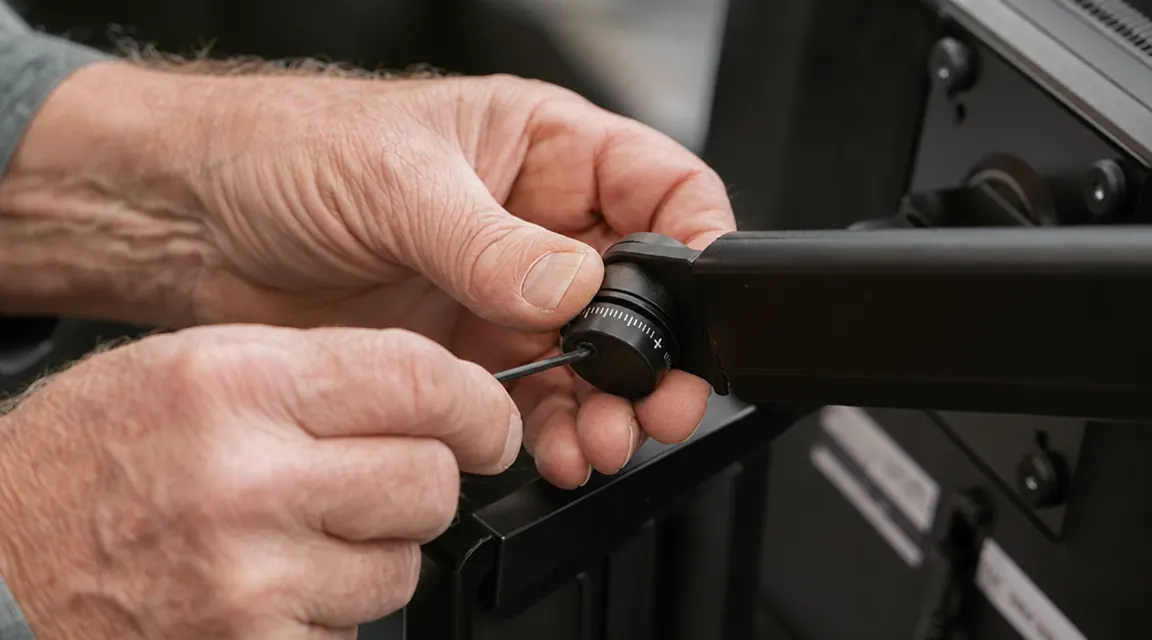
The arm held the 27-inch screen without any visible strain, but I tightened the vertical tilt friction on that side more than on the 24-inch arm, because a heavier monitor will slowly pull the tilt forward over time if the friction collar is not firmed up to match the load. This is what the included hex key is for, and the fact that VIVO includes it and makes both friction adjustments accessible without any disassembly is the right design choice. A lot of the sub-$50 competition on Amazon does not give you that kind of access. You either live with whatever the factory set or you void the warranty trying to get at the hardware.
After two years, the ultrawide arm has not drifted measurably. I check by putting a piece of masking tape at the top edge of the monitor frame against the wall behind the desk every six months, and the relationship between that tape mark and the screen top has not changed. That is the kind of test a carpenter runs when he wants an honest answer and does not trust a spec sheet number.
I check drift the same way I check a shelf level after a year: put a mark, walk away, come back. Two years in, the mark lines up. That tells me what I need to know.
Finish Wear: The Honest Report
The VIVO STAND-V002 is finished in a matte black powder coat. The frame itself is steel and will not rust or corrode in a normal indoor environment. But the powder coat on the arm joints, specifically the pivot collars and the VESA plate backs, shows wear after two years of use. Nothing structural. Just cosmetic scratching at the contact points where metal moves against metal when you adjust the arm angle. If you set your monitors and leave them alone, you will probably not notice for years. If you are the kind of person who repositions your monitors several times a week, you will see the bare steel showing through the black finish at the pivot areas within a year.
This is a common property of powder-coated steel hardware and not unique to VIVO. It is worth knowing going in because some buyers see finish wear and assume the hardware is degrading underneath. It is not. The steel is unchanged and the arm performs identically whether the finish looks pristine or not. If the cosmetics bother you, a small touch-up with matte black appliance spray will cover it in five minutes. I did mine once, at around the eighteen-month mark, and it looks presentable again.
Clamp vs. Grommet: Which Base Should You Choose
Both mounting options ship in the box, which is one of the things VIVO gets right. Most buyers use the C-clamp because it works on any desk without modification. It is a solid clamp: good steel threads, rubber pads on both contact surfaces, and a clamping range that handles desk edges up to about 3.5 inches thick. If your desk falls in that range, the clamp is the faster install and the results are reliable for most standard home office desks.
The grommet base is more rigid. Because the post passes through the desk and locks with a nut on both sides of the surface, there is zero lateral movement of the post under load. With a clamp, the post can micro-rotate slightly when you push a monitor sideways, especially on a smooth-edged desk that gives the rubber pads less to grip. On my desk, which has a smooth rounded laminate edge, I tried the clamp first and noticed the post would give a few millimeters under lateral force. I switched to the grommet base, which my desk had pre-drilled from the factory, and the micro-rotation went away entirely. It made an immediate and noticeable difference in how solid the whole setup felt.
If your desk does not have a grommet hole, you can drill one in most solid wood or particleboard surfaces with a standard 2.5-inch hole saw. On a finished or glass desk, that is not an option. For glass desktops, neither mounting method is safe and you should not use this arm. For everyone else: if you have a grommet hole, use it.
What I Liked
- Steel construction throughout the main post and arm segments, not hollow aluminum or plastic-coated frame
- Both C-clamp and grommet base included, no extra purchase required regardless of desk type
- Arms hold position reliably over time, friction adjustable with included hex key at any accessible pivot point
- Handles a 27-inch ultrawide at 14 pounds without arm sag when friction is set correctly for the load
- Cable routing channels along both arms keep monitor cables clean and off the desk surface
- Over 60,000 Amazon reviews with a 4.6 average, the largest review set of any dual arm in this price range
Where It Falls Short
- Installation instructions are sparse and say nothing about cable threading order, which matters a great deal for a clean first install
- Grommet base lock nut requires more torque than the instructions suggest to stop post rotation under lateral load
- Powder coat finish at pivot points shows cosmetic wear within a year of frequent repositioning, though the steel underneath is unaffected
- Arm extension behavior changes noticeably with heavier monitors near the weight limit; must be balanced and tensioned with the screen attached, not empty
- Cable retention clips are plastic and are the weakest component on an otherwise all-steel product
The Things Buyers Regret Not Knowing
Two years of reading the Amazon review section on this product tells me the most common complaints fall into three categories. First, people who installed the grommet base without tightening the lock nut sufficiently and then blamed the arm for wobble. That is a torque problem, not a product defect, and it is fixable in five minutes once you know to look for it. Second, people who tried to route cables after mounting the monitors and had a frustrating time getting the cables seated in the narrow arm channels. Thread cables first. It changes the experience entirely. Third, people running monitors heavier than 18 pounds who did not set the vertical tilt friction to match the load, came back the next morning to find the monitor tilted forward, and concluded the arm was defective. It is not defective. It needs more friction preload when the load increases. The hex key handles it in about thirty seconds.
None of these are hardware failures. They are documentation failures, every one of them. VIVO could eliminate the majority of one-star reviews on this product with a single better-written instruction sheet that covers cable order, grommet torque, and friction adjustment for different monitor weights. The hardware itself earns its 4.6 average honestly. If you walk in knowing these three things, your install goes smoothly the first time and you will not spend an afternoon troubleshooting a setup that was never broken to begin with.
Who This Is For
The VIVO STAND-V002 is the right choice for a home office desk running two monitors up to 27 inches and staying within 18 to 20 pounds per screen. It is particularly well-suited for anyone who has been dealing with monitors stuck at fixed-height factory stands and feeling the cumulative toll in their neck, upper back, or eyes by the end of a long afternoon. If you are on a desk with a grommet hole, use that base. If your desk is solid with a substantial edge, the clamp works reliably. Plan 45 minutes to an hour for installation done carefully, including threading cables through the arm channels before you mount the screens. After that, this arm will not require your attention again for a very long time. That is what you want from hardware: something you set up right once and then forget about.
Who Should Skip It
If your monitors are ultrawide 34-inch panels or curved 32-inch screens pushing 20-plus pounds each, step up to a mount rated for larger screens. The STAND-V002 is spec'd to 22 pounds but I would treat 18 pounds as the practical ceiling for long-term stability without needing to re-tighten friction periodically. If you have a glass desktop, skip this arm entirely. And if you need daily portrait-landscape pivoting on both arms, a single-arm mount designed specifically for portrait rotation will give you a smoother experience. For the typical home office with two screens in the 24-to-27-inch range, none of those edge cases apply and this arm is hard to beat at the price.
Two years in, I would buy this again without a second thought.
The VIVO STAND-V002 is steel where it counts, adjustable where you need it, and priced like VIVO actually wants to sell it. Thread the cables first, torque the grommet nut properly, set friction with the monitors loaded, and this arm will do its job quietly for years. That is all you can ask of a piece of hardware.
Amazon Check Today's Price on Amazon →