

A friend of mine called me last spring with a straightforward question: should he buy the Kasa HS300 or the Tapo P300? Both come from TP-Link. Both are smart power strips. Both work with Alexa and Google Home. He found them on the same Amazon search page about fifteen dollars apart and figured they were basically the same thing with different stickers. They are not. I have had the Kasa HS300 under my desk for close to two years now, and I have spent enough time looking at the Tapo P300 to give you a plain answer: they are built around different ideas of what a smart strip is supposed to do.
The short answer is this. If you have a home office with multiple devices you want to monitor, schedule individually, and control by name, the Kasa HS300 is worth the extra money. If you have a simple setup and mainly want to turn a group of things on or off together without wasting standby power, the Tapo P300 is a sensible, cheaper option. Let me show you exactly where each one earns its keep and where it falls short.
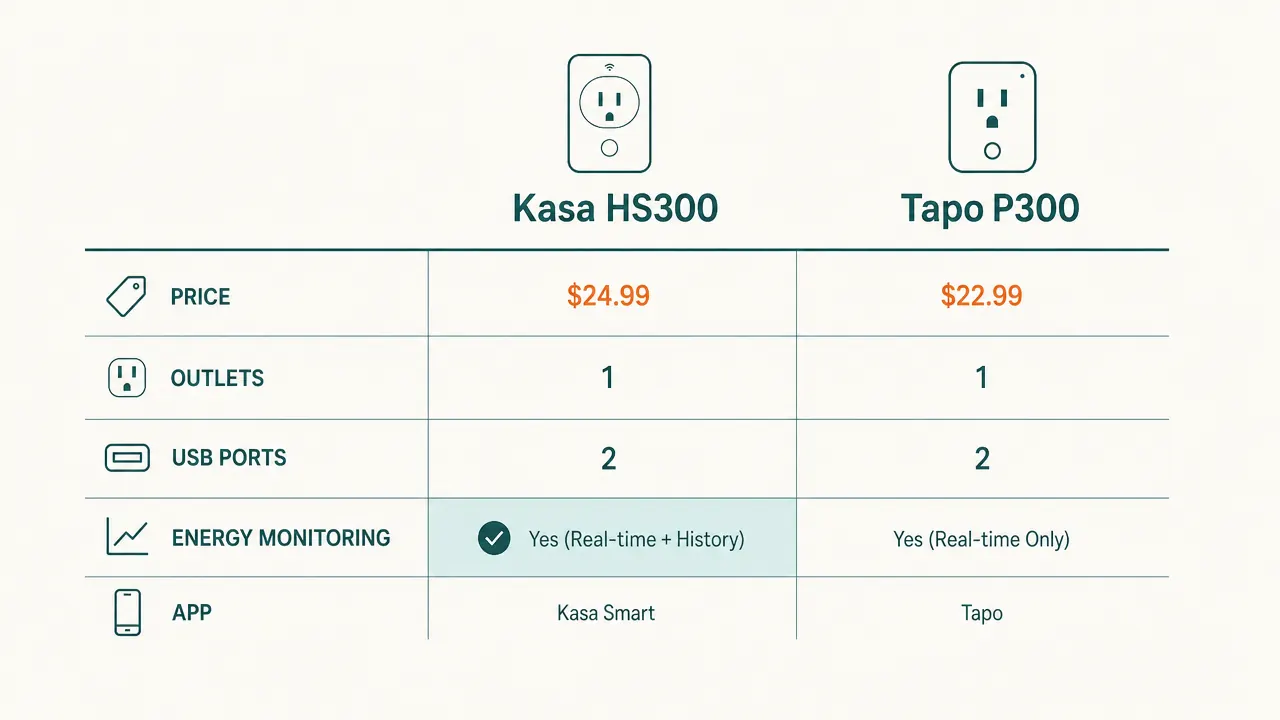
| Kasa HS300 | Tapo P300 | |
|---|---|---|
| Price | Around $40 | Around $25 |
| Smart outlets | 6 individually controlled | 3 individually controlled |
| USB charging ports | 3 USB-A ports (2.4A total) | 2 USB-A ports (2.4A total) |
| Per-outlet energy monitoring | Yes, every outlet tracked separately | No, strip-level only |
| App | Kasa Smart (TP-Link) | Tapo (TP-Link) |
| Voice assistants | Alexa, Google Home | Alexa, Google Home |
| Scheduling | Per-outlet schedules and timers | Per-outlet schedules and timers |
| Surge protection | Yes, 1080 joules | Not rated for surge protection |
| Build and cord length | Heavy plastic housing, 6 ft cord | Lighter housing, 5 ft cord |
Where the Kasa HS300 Wins
The feature that actually earns the HS300 its higher price is per-outlet energy monitoring. Every one of the six smart outlets reports its own wattage draw in real time through the Kasa app. I use this constantly. When I wanted to know how much power my old desktop monitor was pulling compared to my newer one, I plugged them into separate outlets and had exact numbers inside two minutes. That kind of visibility matters if you are serious about knowing where your electric bill goes, or if you want to catch a device that is drawing power even when you think it is off. A lot of office gear does exactly that, and the HS300 makes it easy to find the culprits.
The other place the HS300 clearly wins is outlet count and surge protection. Six individually controlled outlets covers a full desk without compromise: monitor, desk lamp, laptop charger, desktop, speakers, and one spare. Each one gets its own name in the app and its own schedule. The 1080-joule surge protection rating is also something you want on a strip that is connecting expensive electronics. The Tapo P300 has no published surge rating, which means it is a glorified timer strip, not a protector. For a home office where you have gear worth real money plugged in, that gap matters.
Your monitor is drawing power right now that you have never measured. The HS300 changes that.
The Kasa HS300 gives each of its six outlets individual energy monitoring, scheduling, and voice control. Check current pricing on Amazon before the next price shift.
Amazon Check Today's Price on Amazon →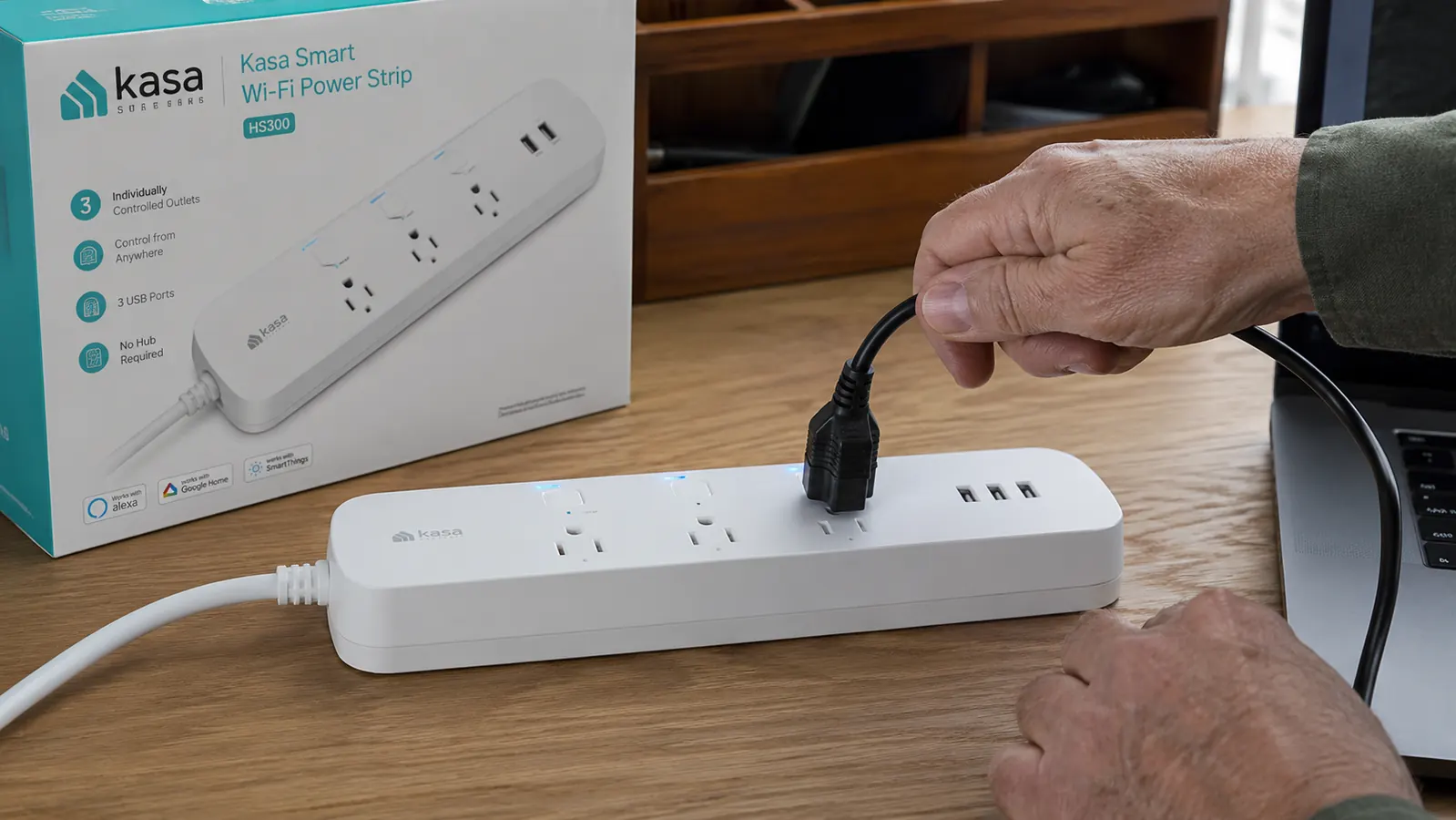
Where the Tapo P300 Wins
The Tapo P300 is cheaper, and that gap is real. If you are equipping a simple desk with a lamp, a monitor, and a laptop charger, and all you want is the ability to say "Alexa, turn off the office" before bed, the P300 does that job without spending an extra fifteen dollars. TP-Link built the Tapo line to be affordable entry-level smart home gear, and the P300 fits that mission. The per-outlet scheduling works fine. The app is clean and simple. For someone who is new to smart home gear and wants to test the concept before spending more, it is not a bad place to start.
The Tapo P300 also wins if you are placing a strip somewhere other than the main desk, like behind a TV cabinet or in a storage area where you mostly want a kill switch for idle electronics. In that use case, energy monitoring per outlet is irrelevant, surge protection matters less, and the lower price makes more sense. I would not argue against the Tapo P300 in that context. But for the primary desk in a home office where you have a few hundred dollars worth of electronics plugged in, I think you earn back the price difference with the HS300 in peace of mind alone.
The Tapo P300 is a good strip for someone who wants to turn a group of things off together. The HS300 is for someone who wants to know exactly what everything is doing, one outlet at a time.
A Note on the Two Apps
One thing that trips people up: the Kasa HS300 uses the Kasa app, and the Tapo P300 uses the Tapo app. Both are made by TP-Link, but the two apps do not share a device list. If you already have other Kasa devices in your house, the HS300 slides right into your existing setup with no extra accounts. If you are already using the Tapo ecosystem, the P300 is the better fit for the same reason. If you are starting from scratch with no TP-Link devices at all, the Kasa app is the more mature platform with better energy reporting and a longer feature history. I have used the Kasa app for nearly two years and it has been reliable. Firmware updates have come through cleanly and the scheduling has never missed a trigger.
One practical note on setup: both strips need 2.4 GHz Wi-Fi, not 5 GHz. If your router broadcasts both bands under one name, the strip will usually sort itself out during setup. But if you have had trouble with other smart home devices connecting, separating the bands in your router settings and pointing the strip at the 2.4 GHz network specifically will save you some frustration. Neither app is especially clear about this during initial setup, so it is worth knowing ahead of time.

Who Should Buy the Kasa HS300
The HS300 is the right call if you have a real home office desk with four or more devices plugged in and you want actual control and visibility over each one. If you work from home full time, you will almost certainly use the energy monitoring. You will set schedules so your monitor does not draw idle watts overnight. You will name each outlet after what is plugged into it and appreciate knowing your standing desk controller is pulling 3 watts on standby. The surge protection is not just a checkbox on the spec sheet. It means the strip is doing protective work while it also does smart work. For anyone who spent real money building a desk setup and wants one power strip that handles everything cleanly, the HS300 is the better long-term buy. You can read a deeper look at daily use in my full Kasa HS300 review, and if you want to get more out of whichever strip you pick, the six smart plug tricks for the home office article covers the automations that actually save time.
Who Should Buy the Tapo P300
The Tapo P300 makes sense if your desk setup is genuinely simple, three devices or fewer, and you mainly want a smart switch for the whole group rather than per-device control. It also makes sense if you are already invested in the Tapo ecosystem and want to stay on one app. At around twenty-five dollars, it is a reasonable introduction to smart power strips without committing to full desk-level monitoring. Just go in knowing it has no surge protection rating and no per-outlet energy data. For the main desk where your livelihood runs, those absences are noticeable. For a secondary room or a guest setup, they are fine.
Six outlets, per-outlet monitoring, and surge protection for around $40. The HS300 is the one I have trusted for two years.
If you are building a real home office desk and want one strip that does it all, the Kasa HS300 is the clear pick over the Tapo P300. Check Amazon for the current price before you decide.
Amazon Check Today's Price on Amazon →